Between the rush hour, preparing the bill, keeping track of kitchen inventory, and sending the numbers to the accountant at the end of the month, a restaurant owner juggles, on average, several tools that don’t communicate with each other. A point-of-sale system for processing payments, a notebook or Excel spreadsheet for inventory, a Z-report to copy by hand for accounting... The result: wasted time and a mounting number of errors.
A point-of-sale system for restaurants paired with robust POS software is a game-changer: payment processing, order management, inventory tracking, and simple accounting exports are all centralized in a single tool. This guide outlines the criteria for choosing the right solution and what you can realistically expect from it in 2026.
Why a Basic Point-of-Sale System Is No Longer Enough in the Restaurant Industry
A standard payment terminal does just one thing: process a card. In a restaurant, the needs go far beyond that:
- Take orders at the table, at the counter, or via a QR code—without any transcription errors in the kitchen.
- Keep track of the tables and place settings throughout the entire service, including in the event of last-minute changes.
- Send the orders to the kitchen at the right time, according to each course of the meal.
- Process the payment using the customer's chosen payment method (credit card, contactless, mobile, meal voucher).
- Keep an eye on raw material inventory to avoid running out during peak hours or wasting materials at the end of the shift.
- Send your accountant your own figures, without having to re-enter them.
It is this accumulation of tasks—rather than simply processing payments—that is prompting more and more restaurant owners to replace their standalone point-of-sale (POS) terminals with POS terminals integrated with point-of-sale software.
Restaurant POS Systems: Criteria for Choosing the Right Terminal
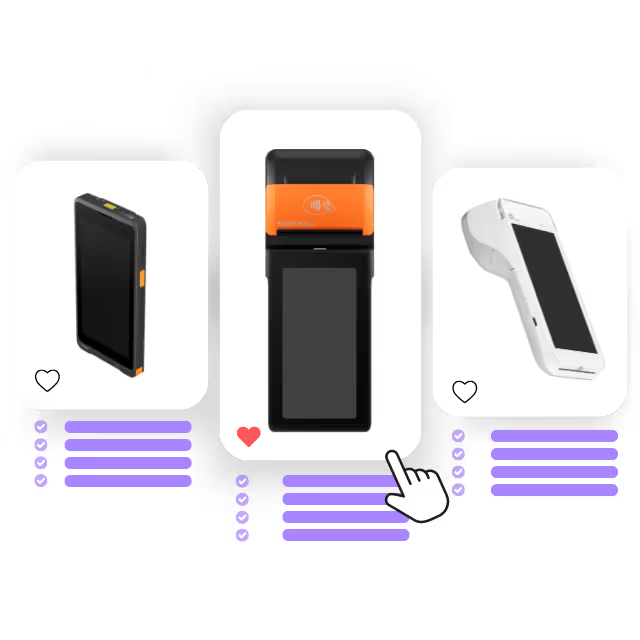
Before delving into the software, the device itself must meet several requirements specific to the restaurant industry:
- Compatibility with industry-standard payment methods: credit cards (CB, Visa, Mastercard), contactless payments, mobile payments (Apple Pay, Google Pay), as well as meal voucher cards (Swile, Pluxee, Edenred) and ANCV vacation vouchers, which are in high demand in tourist areas.
- Mobility: A restaurant with a patio or table service needs a terminal that can be easily moved around without relying on a power outlet or a landline.
- Whether to buy or rent: Renting without a long-term commitment is often preferable for testing out an organization or dealing with significant seasonal fluctuations, rather than making a capital investment tied up for several years.
- Time to market: Between the order and the first payment, a delivery time of just a few days prevents delays in a store opening or the start of a season.
- Device brand and model: Manufacturers such as PAX, Sunmi, and Castles currently supply the majority of professional solutions in France and offer good reliability for everyday use.
A small business that meets these criteria becomes the gateway to a broader system, provided it is connected to genuine point-of-sale software.
Restaurant POS Software: Time-Saving Features
A product catalog updated in real time
The heart of the point-of-sale software is the menu: dishes, drinks, set menus, complete with photos, prices, and categories. A centralized update from the back office (new daily special, temporary out-of-stock item, price change) is immediately reflected on all the restaurant’s terminals, without having to update each device one by one.
.avif)
Managing Tables and Work Orders
In traditional restaurants, the cash register must track the dining room, the patio, and each table individually: adding or removing place settings, modifying orders during service, and visually monitoring progress. Orders can then be printed item by item or in batches and sent to the kitchen by course (appetizers, main courses, desserts) to ensure a more seamless service flow.
Error-Free Orders in the Kitchen
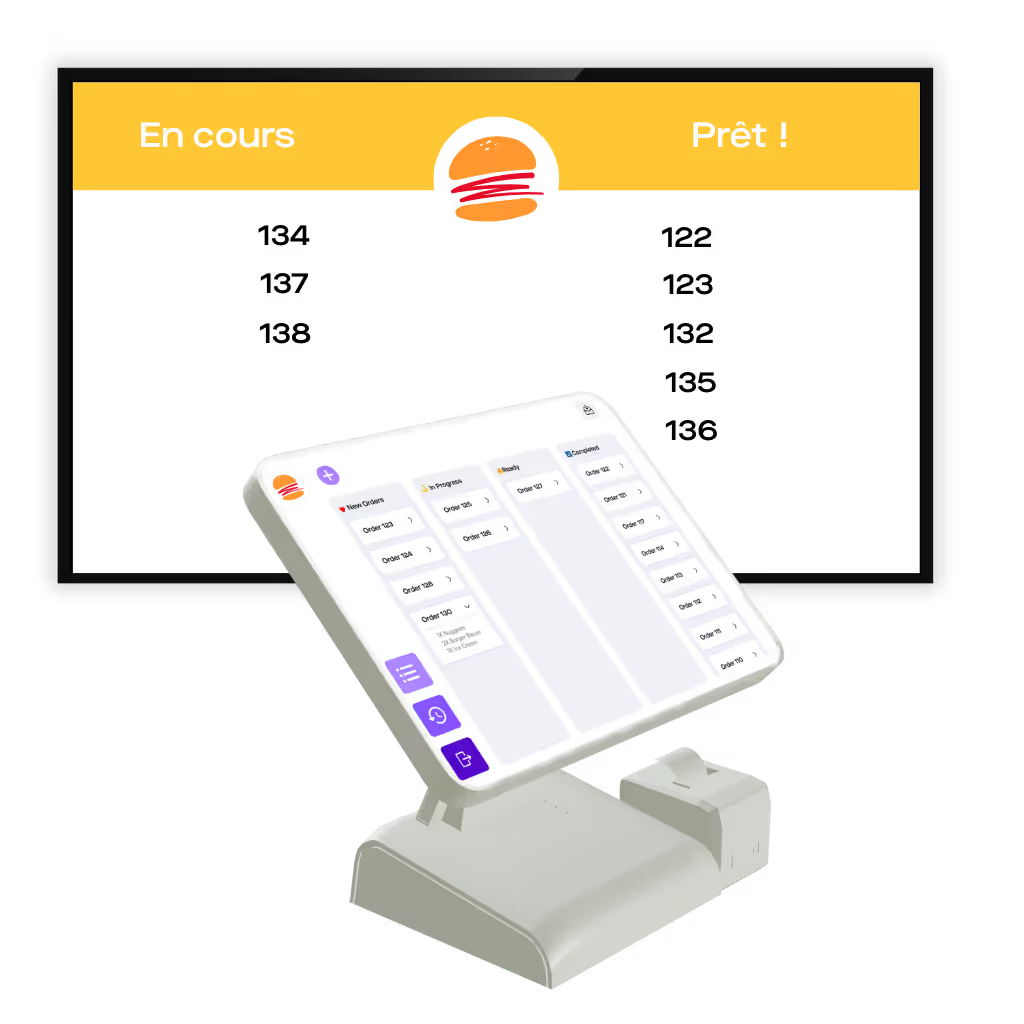
A display screen in the kitchen or at the bar, synchronized in real time with the register, allows the team to move each order from one status to another (on hold, being prepared, ready) and to keep customers informed (kind of like at McDonald’s). No more lost paper tickets or orders announced twice out loud during peak hours.
Service continuity even without a connection
An internet outage or a router restart should never prevent you from processing a customer's payment. POS software designed for the restaurant industry must be able to operate in offline mode, with transactions automatically syncing once the network is restored.
Click & Collect and Self-Service Ordering
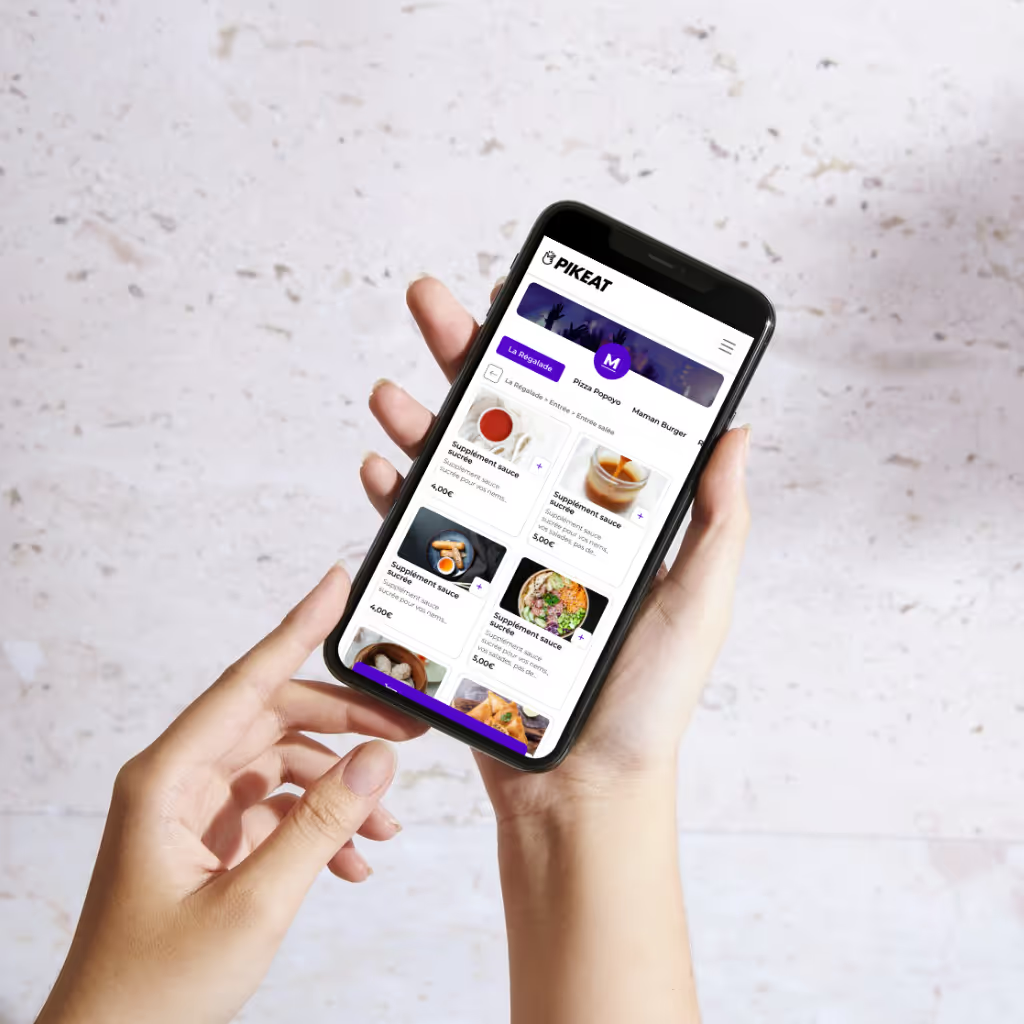
For establishments that also offer takeout, an ordering kiosk or a QR code ordering system—with customizable pickup time slots—allows customers to order and pay in advance, reducing wait times on-site. Orders are then automatically synced with the register and the kitchen.
Simple Accounting Export: Make Life Easier for Your Accountant (and Yourself)
This is often the most overlooked factor when choosing a solution. At the end of the day, week, or month, your accountant needs reliable figures: revenue, VAT, payment methods used, and any cancellations. Without a centralized system, this work requires manually re-entering data from the Z-report—a common source of errors and wasted time.
A simple accounting export is based on two specific elements:
- An automatic and reliable end-of-day Z-report that summarizes all of the department's cash receipts.
- A back-office portal that centralizes all transactions, regardless of payment method, which you can view and forward to your accountant without having to re-enter the data manually.
The goal isn't to replace your accountant, but to provide them with data that's already organized, rather than a pile of receipts that they have to add up by hand every month.
Inventory Management in the Food Service Industry: Tracking Your Ingredients Without Spending Your Evenings on It
Inventory management is the Achilles’ heel of many restaurants: it’s often handled using a notebook, a spreadsheet, or not at all—until the day a stockout occurs right in the middle of a busy shift or end-of-shift losses start eating into profits.
Good point-of-sale software allows you to:
- Automatically update inventory with each sale, directly from the point of sale, without double entry.
- Track inventory in real time to plan supplier orders in advance rather than making last-minute decisions.
- Use sales data to adjust your offerings: identify which dishes are selling well and which ones are left unsold, and adjust the menu or the quantities purchased accordingly.
This real-time visibility transforms inventory management from a burdensome administrative task into a powerful tool for managing profit margins.
What Payment Methods Should Be Accepted in Theaters in 2026?
A restaurant that wants to satisfy all its customers—from business meals to quick lunches—would be wise to accept a wide range of payment methods:
- Credit cards and contactless payments: the go-to option—fast and secure for both customers and restaurant owners.
- Mobile payments (Apple Pay, Google Pay): increasingly popular, especially among customers who go out without a wallet.
- Payment via QR code at the table: The customer scans the code, reviews the bill, splits the bill among diners, and pays on their own, freeing up service time.
- Meal vouchers (Swile, Pluxee, Edenred): essential for attracting office workers, provided they are approved by the National Commission for Meal Vouchers.
- ANCV vacation vouchers: particularly useful in tourist areas.
- Cash: Still in use; a merchant may not refuse payment in cash except in specific cases provided for by law.
The more payment options the terminal and register offer, the less likely a customer is to have to look for another way to pay when the bill comes.
What a POS + cash register solution for restaurants should include
How Easytransac Meets These Needs
Easytransac offers a solution designed for the restaurant industry that combines a payment terminal and point-of-sale software:
- EasyPOS, the touchscreen POS software, manages the product catalog, table management, and order processing, and operates in offline mode on PAX, Castles, or Sunmi terminals.
- EasyScreen centralizes orders and sends them directly to the kitchen, with a screen display synchronized in real time.
- Pikeat enables self-service ordering and payment via QR code or kiosk for click-and-collect.
- The back office centralizes real-time tracking of transactions and inventory, with simplified invoice and accounting management via the Z-ticket.
- As for payment, the terminals accept credit cards, Visa, Mastercard, Apple Pay, Google Pay, meal vouchers, and ANCV checks.
How much does a payment and point-of-sale solution cost for a restaurant?
For monthly card sales revenue below €50,000, Easytransac charges a rate of 0.55% + €0.07 per transaction on cards issued within the European Economic Area (CB, Visa, Mastercard), with back-office access, simple integration, and support included. Above this threshold, a customized, sliding-scale rate is offered, along with a dedicated project manager. The payment terminal is provided free of charge, but there is a monthly fee of €29 (excluding tax) for maintenance and support. These rates are truly very competitive (yes, really).
Terminal rentals come with no mandatory monthly commitment, allowing you to adjust your fleet based on seasonal business fluctuations. All payments are processed through an infrastructure certified as a PCI DSS Level 1 Service Provider and compliant with PSD2 regulations on strong customer authentication.
FAQ: POS Systems, Cash Register Software, and Inventory Management for the Food Service Industry
Which point-of-sale system should a restaurant choose?
A point-of-sale system designed for the restaurant industry must, above all, be compatible with meal vouchers, contactless payments, and mobile payments, and be easy to move around the dining room or patio. The choice of model (PAX, Sunmi, Castles, etc.) matters less than its ability to connect to a full-fledged POS software system rather than operating as a standalone cash register.
How do you create a simple accounting export from your restaurant's point-of-sale system?
A simple accounting export relies on an automatic end-of-day Z-report and back-office access that centralizes all transactions, regardless of payment method. This data can then be sent to the accountant without manual re-entry, which significantly reduces monthly data entry errors.
Is inventory management included in restaurant point-of-sale software?
In the most comprehensive solutions, yes: inventory is automatically adjusted with every sale recorded at the register, and real-time tracking allows you to plan supplier orders in advance rather than having to deal with stockouts.
How much do a point-of-sale terminal and POS software cost for a restaurant?
It depends mainly on the volume of sales processed via card. At Easytransac, the rate is 0.55% + €0.07 per transaction for European cards with monthly sales under €50,000, with a terminal rental plan that requires no long-term commitment.
Can the same system be used for in-store shopping and click-and-collect?
Yes, that’s actually one of the main advantages of centralized POS software: orders placed at a table, at the counter, via a kiosk, or through click-and-collect all flow through the same system, synchronized with the kitchen and inventory tracking.
Want to equip your restaurant with a comprehensive solution, from payment processing to inventory management? Discover our solutions for the restaurant industry or contact our team for personalized support.